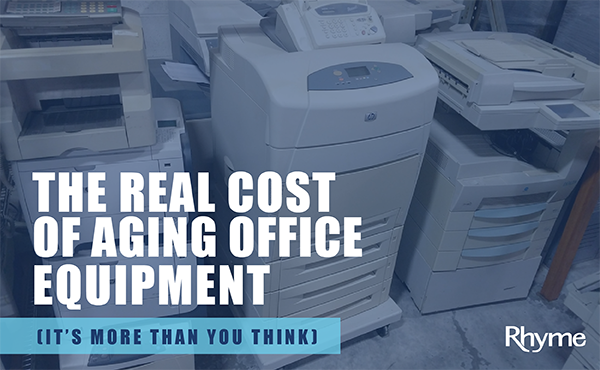
It’s a familiar mindset in many offices: if it’s not broken, why replace it? Your multifunction printer (MFP) still turns on, still prints, still scans—so it must be doing its job… right?
Not always.
“Good enough” technology has a way of quietly introducing inefficiencies that build over time. What looks like a smart, cost-saving decision can slowly turn into lost productivity, growing frustration, and increased risk.
When “Working Fine” Starts to Slow You Down
Most office equipment doesn’t fail all at once. Instead, performance gradually declines—and that’s where the real impact begins.
You might notice:
- Longer delays before print jobs start
- More frequent paper jams or small errors
- Devices slowing down during busy periods
At first, these seem like minor inconveniences. But over time, they create a ripple effect across your team: Employees waiting longer for shared devices, small workflow bottlenecks adding up throughout the day, and more time spent troubleshooting simple issues. Individually, these moments are easy to dismiss. Together, they quietly drain productivity and normalize inefficiency.
When Support Fades and Service Gets Complicated
Even if your device still works, there comes a point when the manufacturer moves on. Once a model reaches end-of-life, support begins to disappear—and maintenance becomes more challenging.
This often leads to:
- Limited until stopped firmware and security updates
- Limited compatibility with newer systems
- Reduced access to official support
At the same time, service becomes less predictable:
- Repairs are harder to complete as parts are harder to find and not being produced anymore
- Fixes are more likely to be temporary
What used to be a quick service call can turn into extended downtime, making it harder to keep operations running smoothly.
When “One More Repair” Isn’t an Option
There’s another risk with aging equipment that’s easy to overlook: unpredictability.
At a certain point, devices don’t just become harder to service—they become impossible to support. When parts and supplies are no longer available, a single failure can take a device out of operation for good.
That creates a bigger challenge than a typical repair:
- There’s no clear warning of when that moment will come
- The device may go down without a recovery option
- Teams can be left without a critical piece of equipment entirely
Unlike planned upgrades, these situations force reactive decisions. Businesses may not have budget approved, a replacement strategy in place, or the time to evaluate the right solution.
And even once a decision is made, replacing a device isn’t always immediate—ordering, delivery, and installation can take time, leaving a gap in productivity.
What started as “we’ll keep it a little longer” can quickly turn into an unexpected disruption.
Supply and Security Risks You Can’t Ignore
As devices age, the challenges extend beyond performance and service.
On the supply side, businesses may encounter:
- Toner and other consumables that are harder to source
- Rising costs due to limited availability
At the same time, security risks increase. Older devices may:
- Not receive critical firmware updates
- Lack modern protections like user authentication and encryption
- Create vulnerabilities within your network
These issues often go unnoticed—until they become urgent.
Falling Behind Modern Workflows
Workplace technology has evolved, and older equipment can struggle to keep up.
Many businesses now rely on:
- Cloud-based platforms
- Mobile printing and scanning
- Integrated document management systems
Legacy devices may still handle basic tasks, but they can require workarounds to function in modern environments. That added friction slows processes down and makes everyday tasks more complicated than they need to be.
The True Cost of “Good Enough”—And When to Move On
Keeping aging equipment might seem like a way to save money, but the hidden costs tell a different story.
Over time, businesses often face:
- Lost productivity from slow performance
- Increased IT support and maintenance needs
- More frequent downtime
- Growing security and compliance concerns
So how do you know it’s time for an upgrade?
Watch for these signs:
- Recurring service issues or frequent repairs
- Noticeable slowdowns in daily workflows
- Difficulty sourcing parts or supplies
- Lack of manufacturer support
- Concerns around data security
If these challenges are becoming routine, “good enough” may already be costing more than it’s worth.
Moving Beyond “Good Enough”
Upgrading your technology isn’t about having the latest features—it’s about making work easier and more efficient.
Modern MFPs are built to:
- Deliver faster, more reliable performance
- Integrate seamlessly with current workflows
- Support stronger security practices
- Reduce long-term operational costs
The goal isn’t just to replace equipment—it’s to remove the friction that slows your team down.
“Good enough” can be comfortable, but it often comes with trade-offs that aren’t immediately visible.
By understanding how aging technology impacts productivity, service, and security, you can make more informed decisions about when it’s time to move forward—before small issues turn into bigger ones.
Because the right technology shouldn’t just work—it should work better for your business every day.
Get in touch with your local Rhyme Client Manager to talk about your aging equipment today!
https://rhymebiz.com/Contact-Sales